
Customer Retention
The Hidden Goldmine: How to Optimise Your “Thank You” Page and Email Receipts
A practical guide for small business owners who want to turn order confirmations into repeat customers, reviews, and referrals, without spending an extra cent on marketing.
Quick answer
Most businesses treat the moment a transaction is completed as a dead end. However, your “Thank You” page and email receipts have the highest open and engagement rates of any communication you send. By replacing default factory settings with targeted offers, review requests, or referral codes, you can automate customer retention for free.
Why post-purchase real estate matters
Think about your own habits when you buy something online.
You click “Place Order.” The screen loads. You stare at the confirmation page to ensure the payment went through. A moment later, your phone buzzes. You open your email receipt to double-check that the shipping address is correct.
Customers always look at the receipt.
In fact, order confirmation emails regularly see open rates upwards of 60% to 70%, more than triple the engagement of a standard promotional newsletter.
This means you have your customer’s full, undivided attention at the exact moment their enthusiasm for your brand is at its absolute highest. They have just trusted you with their money.
Instead of letting that prime digital real estate go to waste, business owners should treat it as the beginning of the next transaction.
It costs zero dollars to change the text on a confirmation page or automated email, yet it can instantly drive more value and build long-term loyalty.
The biggest mistake: leaving the factory settings
“Thank you for your order. We will notify you when it ships.”
This is the default message provided by almost every major e-commerce or booking platform, from Shopify and WooCommerce to Square and Calendly.
Leaving this default text is a massive missed opportunity. It abruptly ends the conversation when the customer is most primed to keep interacting.
A simple optimisation strategy changes the goal of these pages from:
- Passive confirmation to Active engagement
Once you understand that the transaction doesn’t end at checkout, you can implement small tweaks that yield massive dividends over time.
Quick fix: Log into your e-commerce or booking platform today and locate the “Checkout Settings” or “Automated Emails” section to see what your current defaults look like.
4 simple ways to optimise your “Thank You” sequence
You do not need to implement all of these at once. Pick the one that aligns best with your current business goals, whether that is driving repeat sales, getting more reviews, or growing your audience.
1. The Bounce-Back Offer
The easiest way to get a second sale is to offer an immediate incentive right after the first one. This works exceptionally well for consumable products or complementary services.
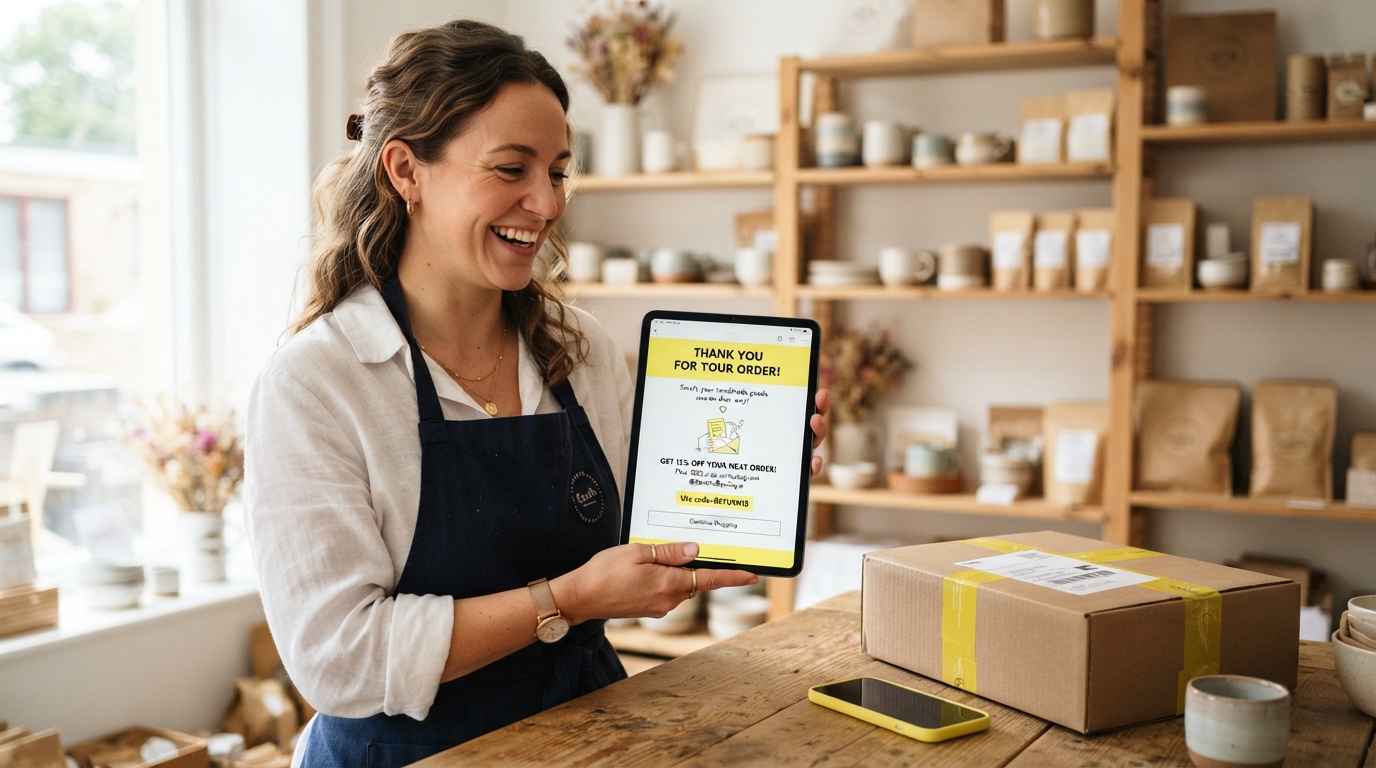
Example: “Thanks for your order! We appreciate your support. Here is a 15% off code for your next purchase, valid for the next 7 days: THANKYOU15”
2. The Frictionless Review Request
People are highly motivated right after they make a purchase. If you run a service-based business (like a salon or a consultancy), the “Thank You” page for the booking confirmation is the perfect place to ask for a review of their booking experience, or to plant the seed for a review later.
Example: “We are a small business and rely on word of mouth. If you enjoyed your experience booking with us today, would you take 30 seconds to leave a Google Review? [Link]”
3. The Referral Nudge
Turn your newest customer into your newest marketer. Give them a reason to share their purchase with friends or family immediately.
Example: “Know someone who would love this too? Forward them this email—if they use the code FRIEND10, they get a discount, and we’ll send you a gift on your next order.”
4. The Social Funnel
If your product takes time to ship, keep the customer excited by inviting them into your community.
Example: “While you wait for your order to arrive, come see how we make our products behind the scenes on Instagram! Follow us here: [Link]”
The 15-minute optimisation exercise
Set a timer for 15 minutes and complete these three steps today:
- Step 1: Buy your own product or book your own service (use a 100% discount code) to experience exactly what your customer sees.
- Step 2: Look at the final confirmation page. Does it ask them to do anything else? If not, add a single Call to Action (CTA).
- Step 3: Check the automated email receipt. Add a P.S. at the bottom with a discount code, a review link, or a social media invite.
Congratulations. You just built an automated marketing machine that will run in the background 24/7.
Keep it simple and automated
You don’t need expensive marketing software to make this work. You just need to be intentional with the tools you already have.
If you only have time to change the email receipt, start there.
If you aren’t ready to give out discounts, just ask for a review.
The goal is to stop treating the end of checkout as a goodbye, and start treating it as a “see you soon.”
Final thought
Small business marketing is often focused heavily on customer acquisition—running ads, posting on social media, and fighting for attention.
But the most profitable businesses know that retention is cheaper than acquisition. By optimising the specific moments where customer attention is already guaranteed, you create a seamless loop of loyalty and growth.
Start simple.
Change the default text.
Give them a reason to come back.
Optimisation FAQs
Will adding marketing to a receipt annoy customers?
Not if it provides value. Customers are annoyed by spam, but they are rarely annoyed by a relevant discount code for a brand they literally just purchased from. Keep the primary purpose of the email (the receipt) clear at the top, and put your offer underneath.
What if I use a platform like Shopify or WooCommerce?
Almost all major platforms allow you to customise your notification emails and confirmation pages. In Shopify, you can edit this under Settings > Notifications. In WooCommerce, go to Settings > Emails. You just need to edit the basic HTML or text templates provided.
Should I put multiple offers on the Thank You page?
No. A confused mind says no. Choose one primary action you want the customer to take. If you want a review, ask for a review. If you want a repeat purchase, give them a discount code. Don’t ask them to review, share, follow, and buy all at once.
Does this strategy work for service-based businesses?
Absolutely. If you are a plumber, consultant, or salon owner, your booking confirmation page is the perfect place to set expectations. You can include links to intake forms, preparation checklists, or requests for them to follow your business on social media.
How do I track if this is working?
Create a unique discount code (e.g., THANKYOU15) that is only shared on your confirmation page or email receipts. Whenever that code is used, you will know exactly where that repeat sale came from.
Learn More Marketing Strategies
Join our Marketing Ecosystem Workshop for a free, in-depth strategy session.
For personalised business growth strategies, apply for our Clever Bunch program.